

Understand why the next big revolution is not a new device, but a layer of AI present in everything
Imagine if, a few years from now, no one ever “opened
the computer” to work again. Instead, you simply speak, type, or look at an AI assistant, and it chats, creates, programs,
schedules, automates, buys, designs, everything from natural language. This is what Andrej Karpathy, one of the leading names
in the field, has been arguing when he says we’ve entered the era of “Software 3.0”, in which AI models
become a new kind of computer and natural language becomes the way to program them.
If in the 1980s Windows became “the interface
to the digital world” and, years later, the mobile phone became “the interface to the world in the palm of your
hand”, now we’re facing a third shift: Artificial Intelligence as the new interface to everything. And the question
that matters to you is simple: is your company preparing to work with the world through AI, and not just with AI?
From Windows and smartphones to AI: three interface
revolutions
Windows popularized the computer because it translated
complex commands into windows, icons, and clicks. Suddenly, anyone could “use a PC”. Decades later, smartphones
did the same for life always connected: maps, banks, social networks, work, everything at your fingertips. The phone became
the remote control of modern life. Now, something similar is happening with AI.
Karpathy argues that language models are a new kind
of computer, which you program in any language. Instead of opening an editor, a browser, an ERP system, and dozens of tabs,
you talk to an assistant that orchestrates all of this behind the scenes.
At the same time, giants like Microsoft have been
embedding AI directly into the operating system, with Copilot integrated into Windows and a clear bet that natural language
and semantic computing are the future of the PC experience.
If previously the operating system was the center
of the experience, now it is starting to become just another “vehicle” for the real interface: AI.
Is AI the new Windows or the new mobile phone?
Yes and no.
It is the “new Windows” in the sense
that it organizes the way you interact with the digital world. But instead of being a visual layer (windows, icons), it is
a conversational and contextual layer: you ask in natural language, and AI understands, reasons, takes actions, calls APIs,
and executes flows.
It is the “new mobile phone” because
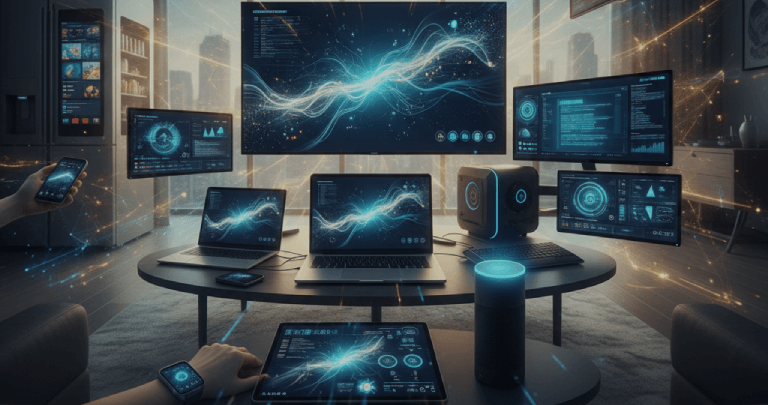
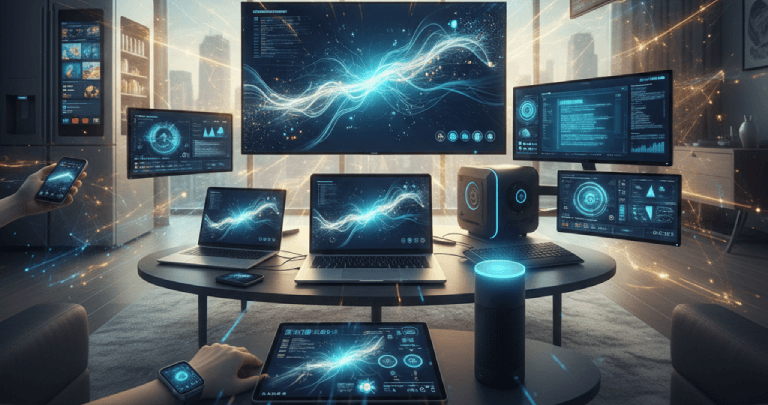
it goes with you everywhere. It’s not tied to a single device. It’s on your laptop, your smartphone, your car,
your TV, your watch, and increasingly in glasses and other wearables. OpenAI, for example, has been rapidly evolving the real-time
voice experience with low-latency models and APIs designed specifically for voice assistants, paving the way for devices that
resemble (and surpass) Alexa and Siri. In other words: AI doesn’t replace Windows or the phone; it makes them secondary.
The primary interface becomes the assistant, and the device becomes just the “body” where that AI lives.
From a business standpoint, this changes everything.
Instead of designing screens for each system, you start designing conversational experiences. Instead of training users in
menus and shortcuts, you train AI in your company’s processes.
ChatGPT as the new interface for developers (and
business teams)
Karpathy calls this moment “Software 3.0”:
instead of writing code line by line, you describe what you want in natural language, provide context (documentation, examples,
internal data sources), and let the model generate, adapt, and maintain a large part of the software.
In practice, what does this mean for technical teams?
Today, you already see developers using ChatGPT as a conversational IDE (to discuss architecture, generate service skeletons,
create tests, refactor legacy code); as a maintenance copilot (to read old systems, explain complex sections, and suggest
improvements); and as a pipeline orchestrator (to describe integrations and let AI generate scripts, containers, YAMLs, and
automations).
But the next wave goes further. With new real-time
APIs, an AI assistant can listen, speak, see, and act in the digital environment, triggering API calls and activating tools.
Imagine, for example, a “conversational terminal” in which the developer says: “Bring up a staging environment
identical to production, but with this branch, clean and replicate the database, and run the regression test suite.”
And the assistant understands the request, triggers CI/CD pipelines, consults the ticketing system, and returns real-time
status with summarized logs.
For your company, this means less friction between
idea and execution. And, above all, it opens space for business teams to directly influence software by describing rules,
journeys, and exceptions in natural language instead of massive technical specifications.
ChatGPT as a hub: Canva, n8n, and the productivity
“super app”
If AI is the new interface, where do tools like
Canva, n8n, and others you already use today fit in? They tend to “live inside” that interface.
Canva, for example, already offers deep integration
with ChatGPT: you can connect your account and create, edit, and preview designs right in the conversation, with access to
Canva’s template library and features without leaving the chat.
Likewise, automation platforms like n8n integrate
with the OpenAI ecosystem so you can build flows that combine ChatGPT with hundreds of other services, from CRM to spreadsheets,
from ERP to e-mail.
And the movement goes far beyond these two examples.
OpenAI has already launched a layer of “apps inside ChatGPT”, allowing you to access services like Spotify, Canva,
Coursera, Booking.com, Figma, Zillow, and others without leaving the conversation.
In practice, ChatGPT stops being “just”
a chatbot and starts working as a productivity super app, a unified services dashboard, and a new “desktop”, where
the icons are… messages.
You say: “Canva, create a LinkedIn carousel
with this data” or “n8n, update this lead across all tools”, and everything happens within the conversational
flow. Your screens will focus on visualizing results, not on navigating menus.
AI assistant: an Alexa on (serious) steroids
Another key step in this transition is the transformation
of AI into a persistent assistant, capable of staying with you throughout the day, remembering context, and acting proactively.
On one hand, the advance of real-time voice (such
as ChatGPT in voice mode and APIs designed for conversational devices) is paving the way for “Alexas 2.0”, more
intelligent, with contextual understanding and the ability to trigger external functions.
On the other hand, OpenAI itself has been investing
in features like Tasks, which allow ChatGPT to schedule reminders, recurring tasks, and automations, bringing it closer to
assistants like Siri and Alexa, but with the power of generative models behind it.
Combine this with smart glasses and wearables, and
you have the recipe for truly ubiquitous AI: always listening to commands, seeing the environment, accessing corporate data
(securely), and executing end-to-end flows.
This is exactly where the question “are we
still going to be looking at Windows or at the phone?” begins to lose strength. What you’ll see is the assistant;
the rest becomes infrastructure.
What will this future look like? Some (very)
near scenarios
If you think all of this sounds like “movie
stuff”, it’s worth remembering: not long ago, the idea of asking an AI model to write code, create images, and
run meetings also sounded like science fiction. And yet, here we are. So, let’s imagine some scenarios together, closely
aligned with what technology is already beginning to show.
You wake up, put on your glasses, and say: “ChatGPT,
give me an overview of my day: meetings, project risks, revenue opportunities I should focus on.” The assistant cross-checks
your calendar, CRM, ERP, e-mails, and data dashboards, and returns a summary in natural language, with clear action recommendations.
On your way to work, you remember you need to launch
a new campaign. Instead of opening dozens of tools, you ask: “Create a complete campaign for this product, with posts,
landing page, creatives. Use Canva to generate visuals and leave everything organized in a folder for the team to review.”
Within the conversation itself, the Canva app generates
designs, suggests variations, and connects to your brand assets. n8n, in turn, is triggered by the assistant to distribute
the campaign: it schedules posts, creates lead nurturing automations, runs A/B tests, all from a simple instruction in natural
language.
On the factory floor, an employee points a phone
or smart glasses at a machine, and AI recognizes the equipment, reads sensor data, checks the maintenance history, and explains
what’s happening—or even automatically opens a ticket in the internal system.
What about animals… will they talk?
Research into translating animal sounds is already
underway, using AI to analyze barks, meows, and pets’ body language in an attempt to infer emotions and intentions.
There are also studies with dolphins and other highly communicative animals, using machine learning to decipher sound patterns
that were previously a mystery.
Project this a few
years into the future, and it’s easy to imagine smart collars that translate your dog’s “emotional state”
into simple phrases on your phone; devices in aquariums or marine reserves that “interpret” dolphin sound patterns
and alert researchers; and sensors on farms connected to AI that “listen” to the herd and anticipate health issues.
It’s not that your cat will be discussing
philosophy with you, but the line between “understanding signals” and “translating them into human language”
is getting thinner and thinner.
And what does all this mean for your company
today?
If AI is the new interface to the world, the question
is no longer “should I use AI?” and becomes: “How do I enable my customers and employees to interact with
my business through AI?”
At Visionnaire, as a Software and AI Factory with
more than 29 years of experience, what we already see in practice are companies transforming complex processes into specialized
assistants (for sales, support, legal, finance, operations). We also see development teams using AI as an abstraction layer
between business rules and code, accelerating deliveries and reducing rework. And we see deep integrations between legacy
systems and AI models, using tools like n8n, APIs, and event-driven architectures so that the assistant has a 360° view
of the business.
This movement is not only technological. It is strategic.
Those who manage to turn their systems into conversational experiences that are reliable, secure, and truly useful will have
a huge competitive advantage. Those who remain stuck in “open system X, generate report Y, and fill out form Z”
tend to lose speed, productivity, and ultimately relevance.
Next step: bringing this new interface into your
reality
All of this may seem distant, but it doesn’t
have to be. You don’t need to start by building an AI “super app”. You can start with a well-defined pilot:
an internal assistant focused on a critical process (for example, customer support or sales support); integration with a few
key systems (CRM, ERP, internal documentation); and clear gain metrics: time saved, errors reduced, user satisfaction. From
there, you evolve, integrate more data sources, add voice, include automations with n8n, connect to tools like Canva, and
expand usage to new teams.
At Visionnaire, we help companies design and implement
exactly this journey: from idea to pilot, from pilot to scale, always focusing on business outcomes, not technology for technology’s
sake. If you want to explore how AI can become the new interface between your business and the world, let’s
talk.


